> ## Documentation Index
> Fetch the complete documentation index at: https://docs.pagos.ai/llms.txt
> Use this file to discover all available pages before exploring further.
# BIN
> Perform BIN lookups, review data for requests made to the BIN Data API, or download the latest BIN Data Batch file.
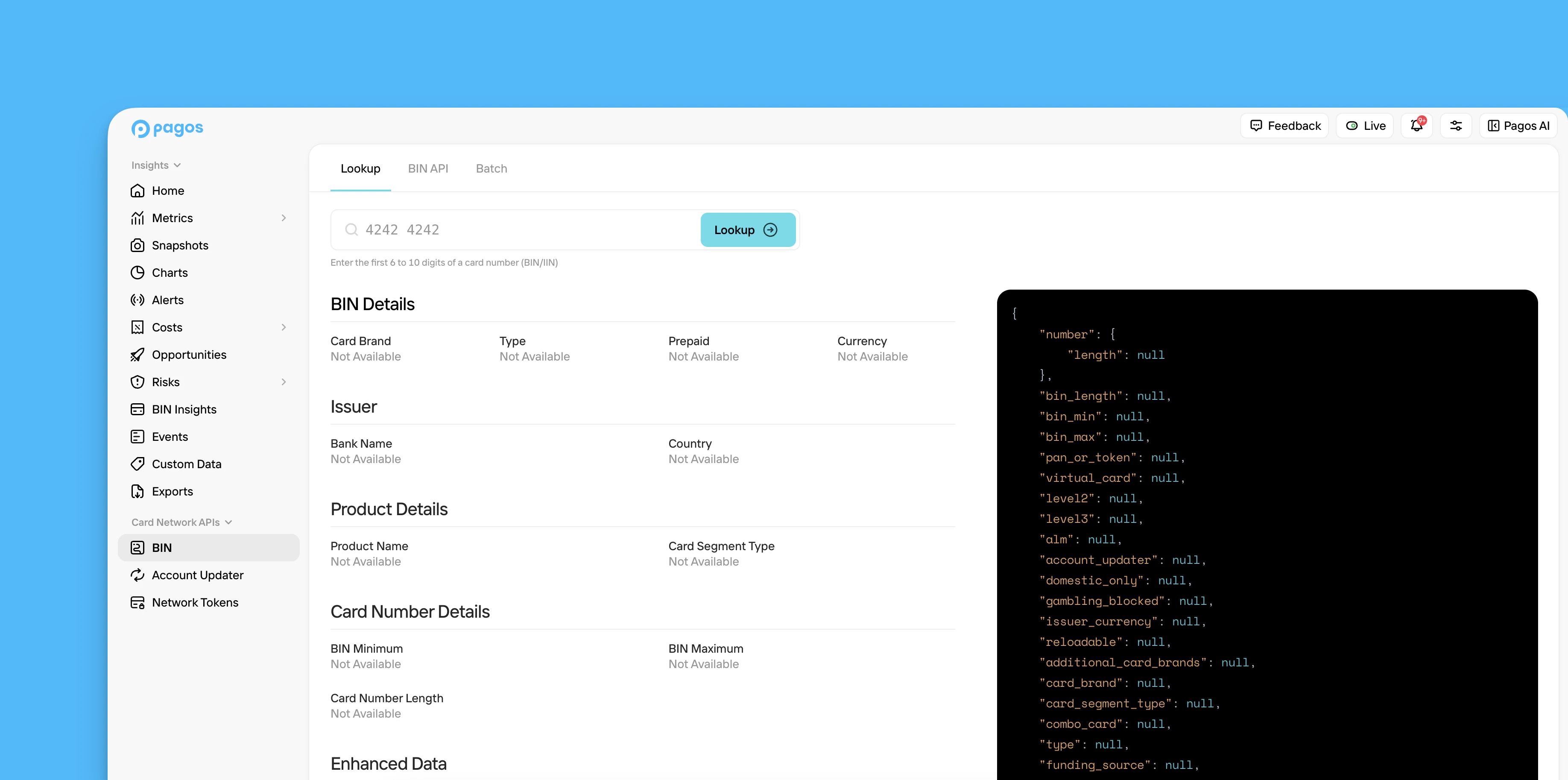 All [Pagos BIN Database](https://pagos.ai/product/bin-data) subscribers can access the **BIN** section of the Pagos Service Panel
To access the BIN section, click **BIN** in the main navigation. This section contains the following tabs:
* [Lookup](#lookup)
* [BIN API](#bin-api)
* [Batch](#batch)
## Lookup
Look up a BIN and review the response in plain text or as it would appear in a response from the [BIN Data API](/bin-data-APIs/bin-data-api-overview). Click on a sample BIN to test out the lookup functionality quickly. For a full list of the data fields available and their descriptions, see our [BIN Data API Dictionary](/bin-data-APIs/bin-data-api-dictionary).
If you have questions about the data returned for any given BIN, check out our [BIN Data FAQ pages](/bin-database/general-faq).
## BIN API
From the **BIN API** tab, you can monitor and manage your usage of the BIN Data API.
This tab contains the following visuals:
* **Requests** - The number of API requests you've made for Standard vs. Enhanced BIN data over the selected date range
* **Response Time** - The response times for API requests made to for Standard vs. Enhanced BIN data over the selected date range
By default, these graphs contain data from the last seven days; to view historical data, use the **Date Range** filter.
## Batch
From the **Batch** tab, you can download batch files of the most up-to-date BIN data directly from the card networks:
* Click **Standard BIN Batch File** to download a file of the [standard BIN data fields](/bin-data-APIs/batch-api-dictionary#standard-data-fields).
* Click **Enhanced BIN Batch File** to download a file of the [enhanced BIN data fields](/bin-data-APIs/batch-api-dictionary#enhanced-data-fields)
Only subscribers to [Batch BIN File add-on](https://pagos.ai/pricing) can download files from the **Batch** tab.
If you prefer to use the BIN Data Batch API to request these files, see the [BIN Data Batch API Overview](/bin-data-APIs/batch-api-overview) guide.
All [Pagos BIN Database](https://pagos.ai/product/bin-data) subscribers can access the **BIN** section of the Pagos Service Panel
To access the BIN section, click **BIN** in the main navigation. This section contains the following tabs:
* [Lookup](#lookup)
* [BIN API](#bin-api)
* [Batch](#batch)
## Lookup
Look up a BIN and review the response in plain text or as it would appear in a response from the [BIN Data API](/bin-data-APIs/bin-data-api-overview). Click on a sample BIN to test out the lookup functionality quickly. For a full list of the data fields available and their descriptions, see our [BIN Data API Dictionary](/bin-data-APIs/bin-data-api-dictionary).
If you have questions about the data returned for any given BIN, check out our [BIN Data FAQ pages](/bin-database/general-faq).
## BIN API
From the **BIN API** tab, you can monitor and manage your usage of the BIN Data API.
This tab contains the following visuals:
* **Requests** - The number of API requests you've made for Standard vs. Enhanced BIN data over the selected date range
* **Response Time** - The response times for API requests made to for Standard vs. Enhanced BIN data over the selected date range
By default, these graphs contain data from the last seven days; to view historical data, use the **Date Range** filter.
## Batch
From the **Batch** tab, you can download batch files of the most up-to-date BIN data directly from the card networks:
* Click **Standard BIN Batch File** to download a file of the [standard BIN data fields](/bin-data-APIs/batch-api-dictionary#standard-data-fields).
* Click **Enhanced BIN Batch File** to download a file of the [enhanced BIN data fields](/bin-data-APIs/batch-api-dictionary#enhanced-data-fields)
Only subscribers to [Batch BIN File add-on](https://pagos.ai/pricing) can download files from the **Batch** tab.
If you prefer to use the BIN Data Batch API to request these files, see the [BIN Data Batch API Overview](/bin-data-APIs/batch-api-overview) guide.